

TM 10-8145-222-23
0013
REPLACE CONTINUED
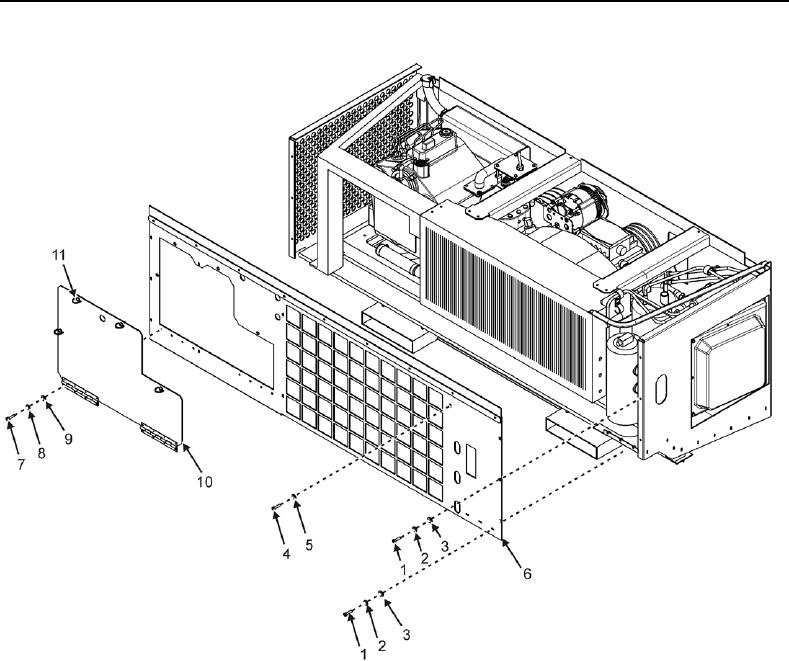
Figure 2. Front Panel Assembly.
Remove Front Panel Access Cover Assembly
Perform the following steps to remove the hinged front panel cover assembly.
1. Remove eight screws (Figure 2, Item 7), lock washers (Figure 2, Item 8), and flat washers (Figure 2, Item 9).
Discard lock washers.
2. Rotate four quarter-turn fasteners (Figure 2, Item 11) securing front panel cover assembly (Figure 2, Item 10)
1/4-turn counterclockwise until loose.
3. Lower front panel cover assembly (Figure 2, Item 10).