

TM 10-8145-222-23
MAINTAINER MAINTENANCE
RUN SOLENOID
REPLACE, TEST
INITIAL SETUP:
References
Tools and Special Tools
TM 10-8415-222-10
General Mechanic Tool Kit (WP 0096, Table 2, Item 5)
Materials/Parts
Silicone, RTV (WP 0097, Item 43)
TM 10-8145-222-23P
Personnel Required
Equipment Condition
Quartermaster and Chemical Equipment Repairer
Refrigeration unit shut down (TM 10-8415-222-10)
Battery disconnected (WP 0053)
REPLACE
Remove Run Solenoid
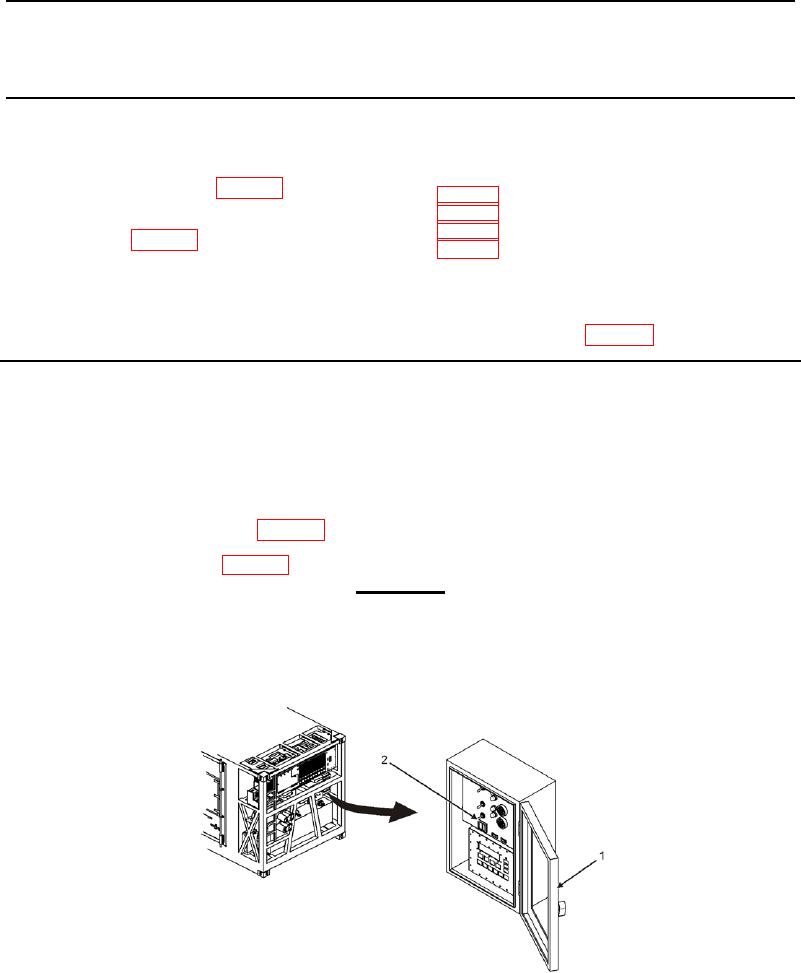
1. Open control panel access door (Figure 1, Item 1).
2. Place POWER ON/DOWN switch (Figure 1, Item 2) on control panel to DOWN position.
3. Remove front panel assembly (WP 0013, Remove).
4. Remove right-side panel (WP 0013, Remove).
WARNING
Falling from the top of the MTRCS can result in serious injury or death to personnel.
Whenever performing maintenance on top of the MTRCS, always maintain three
points of contact to aid in stability. Never attempt to walk backwards while on top of
the container.
5. Access top of MTRCS using roof access provided.
Figure 1. POWER ON/DOWN Switch.