

TM 10-8145-222-23
MAINTAINER MAINTENANCE
SPEED SOLENOID
REPLACE, TEST
INITIAL SETUP:
Tools and Special Tools
References
SATS (WP 0096, Table 2, Item 8)
TM 10-8415-222-10
Electrical Connector Kit (WP 0096, Table 2, Item 3)
Personnel Required
TM 10-8145-222-23P
Quartermaster and Chemical Equipment Repairer
Equipment Condition
Refrigeration unit shut down (TM 10-8415-222-10)
Battery disconnected (WP 0053)
REPLACE
Remove
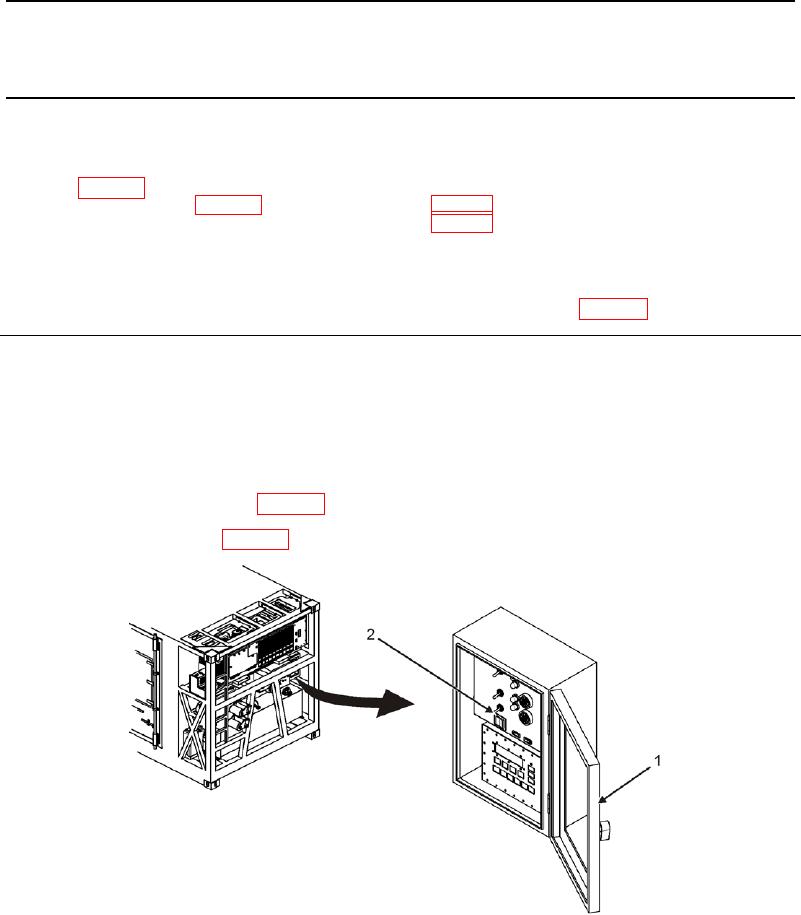
1. Open control panel door (Figure 1, Item 1).
2. Place POWER ON/DOWN switch (Figure 1, Item 2) on control panel (Figure 1, Item 1) to DOWN position.
3. Remove front panel assembly (WP 0013, Remove).
4. Remove right-side panel (WP 0013, Remove).
Figure 1. POWER ON/DOWN Switch.